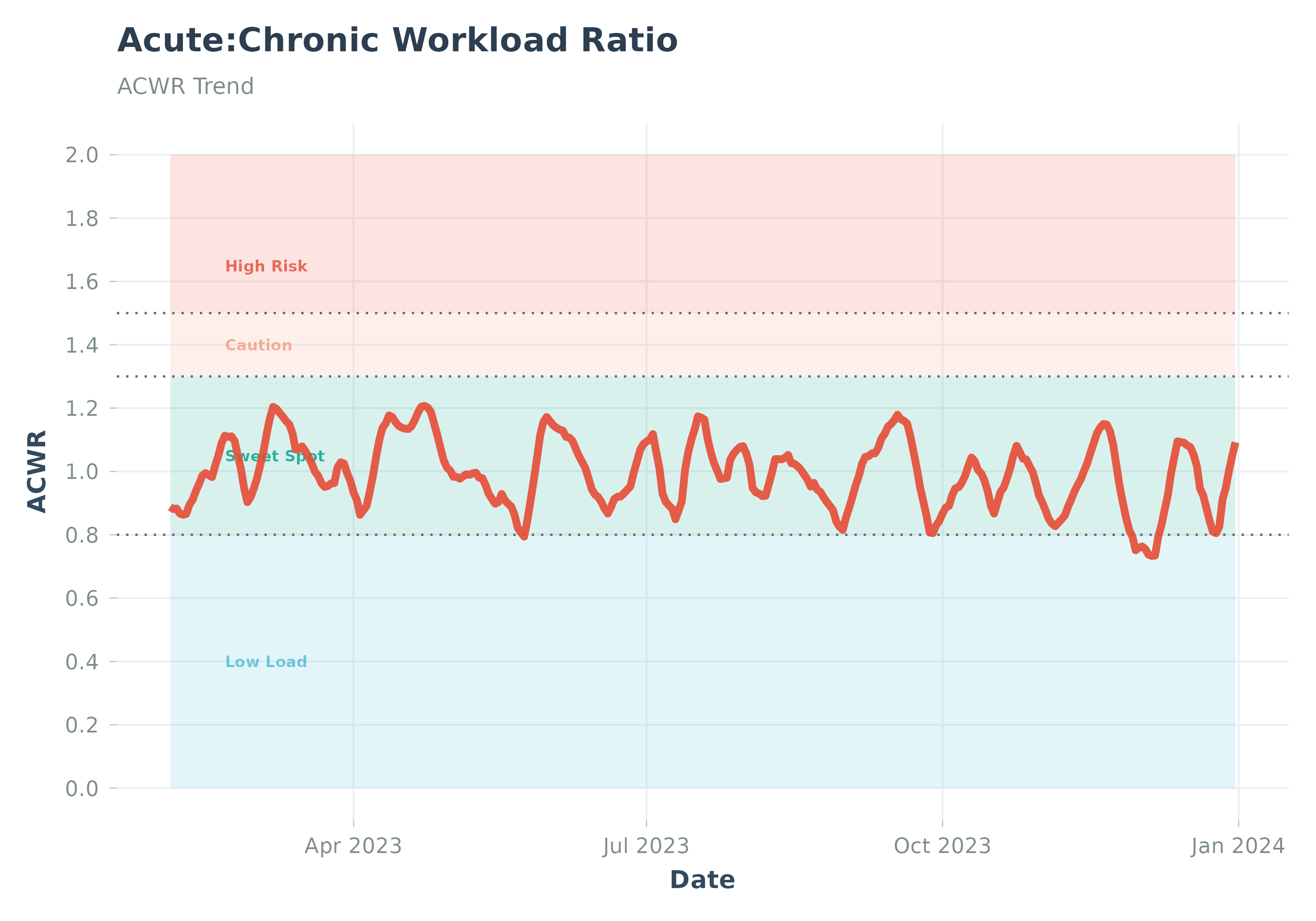
Visualizes the Acute:Chronic Workload Ratio (ACWR) trend over time.
Usage
plot_acwr(
  data,
  highlight_zones = TRUE,
  sweet_spot_min = 0.8,
  sweet_spot_max = 1.3,
  high_risk_min = 1.5,
  group_var = NULL,
  group_colors = NULL,
  title = NULL,
  subtitle = NULL,
  ...
)
Arguments
- data
A data frame from
calculate_acwr()orcalculate_acwr_ewma(). Must containdateandacwr_smoothcolumns.- highlight_zones
Logical, whether to highlight different ACWR zones (e.g., sweet spot, high risk) on the plot. Default
TRUE.- sweet_spot_min
Lower bound for the "sweet spot" ACWR zone. Default 0.8.
- sweet_spot_max
Upper bound for the "sweet spot" ACWR zone. Default 1.3.
- high_risk_min
Lower bound for the "high risk" ACWR zone. Default 1.5.
- group_var
Optional. Column name for grouping/faceting (e.g., "athlete_id").
- group_colors
Optional. Named vector of colors for groups.
- title
Optional. Custom title for the plot.
- subtitle
Optional. Custom subtitle for the plot.
- ...
Additional arguments. Arguments
activity_type,load_metric,acute_period,chronic_period,start_date,end_date,user_ftp,user_max_hr,user_resting_hr,smoothing_period,acwr_dfare deprecated and ignored.
Details
Plots the ACWR trend over time.
Best practice: Use calculate_acwr() first, then pass the result to this function.
ACWR is calculated as acute load / chronic load. A ratio of 0.8-1.3 is often considered the "sweet spot".
When highlight_zones = TRUE, all risk zone labels (High Risk, Caution, Sweet Spot,
Low Load) are always displayed regardless of whether data falls within each zone.
The y-axis is automatically extended to ensure all zone annotations remain visible.
Zone boundaries can be customised via sweet_spot_min, sweet_spot_max, and
high_risk_min.
Note: The predictive value of ACWR for injury risk is debated in the
literature (Impellizzeri et al., 2020). Risk zone labels should be interpreted
as descriptive heuristics, not validated injury predictors. See
calculate_acwr() documentation for full references.